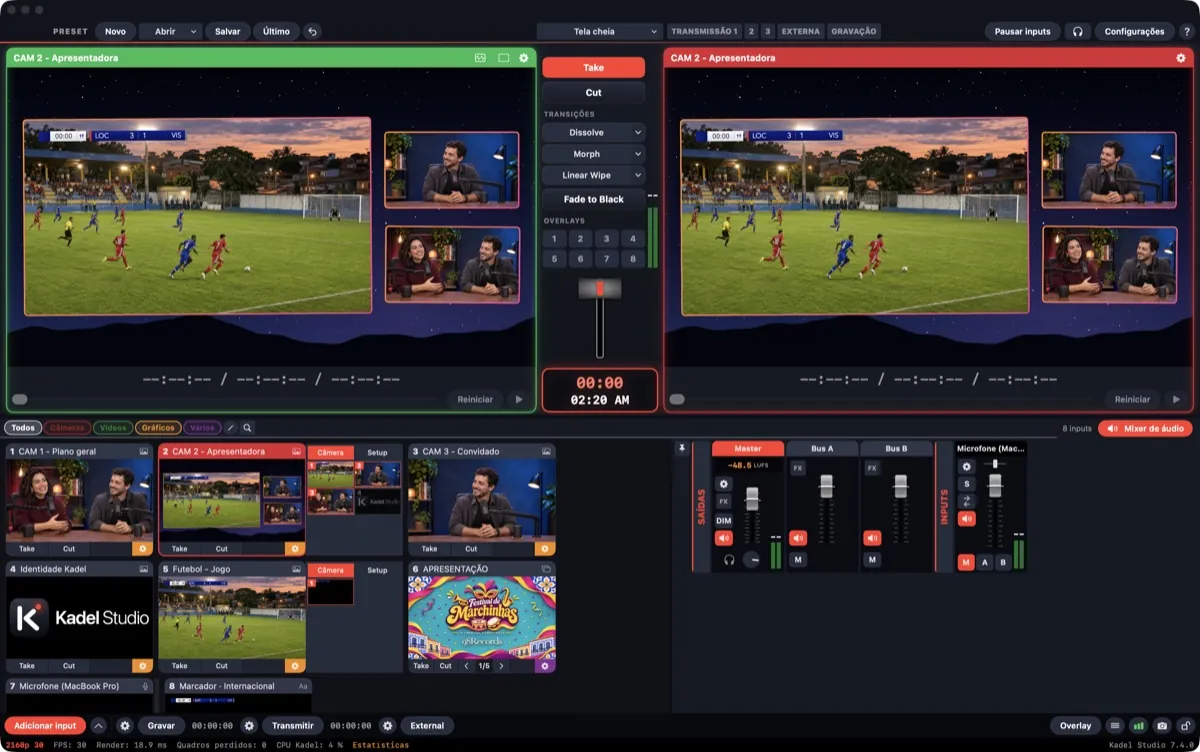
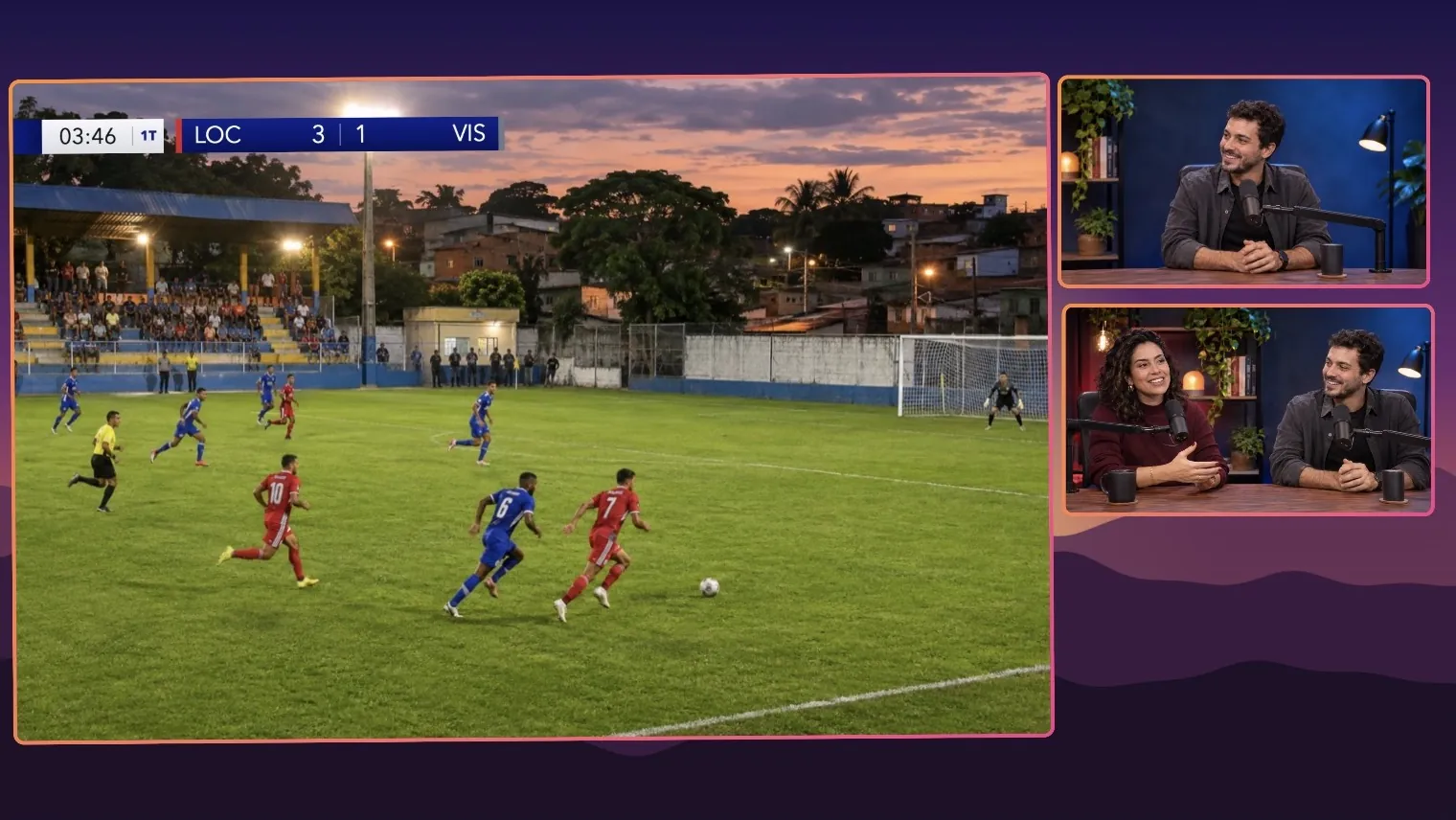
Try it: click a source to prepare it in Preview, then press TAKE.
Stream to and receive signal from
YouTube
Facebook
Instagram
TikTok
Twitch
RTMP
SRT
NDI®
OMT
IP cameras
Blackmagic
4K60with 10-bit HDR and hardware encoding
3streaming destinations at the same time
8overlay layers over the production
9Bible versions, offline, in 3 languages
Three steps. No surprises on air.
The same workflow as professional switchers: you prepare the next scene while the audience watches the current one.
1
Connect
USB and Blackmagic cameras, NDI, SRT, IP cameras, screen, videos, presentations, web pages and remote guests.
2
Prepare in Preview
Build layers, picture-in-picture, titles, scoreboard and verses. Nobody sees anything until you decide.
3
TAKE
With one key the scene goes on air with the chosen transition, and each source's audio follows along, automatically.
Everything your production needs.
Real screens from the app. Pick an area to see it in detail.
Preview, Output and TAKE.
The switcher TV directors know: pick the next source, adjust it and send it on air with a cut, fade, stinger or one of the animated transitions.
T-bar and configurable transitions
Live thumbnails of every source
Audio mixer always in view
Layered compositions.
Up to ten layers per source, with ready-made PiP, side-by-side and split-screen templates, borders and backgrounds with your branding.
Templates with backgrounds and frames
Zoom, crop and position for each layer
Drag the layer right in the preview
Titles, lower thirds and scoreboards.
Names and roles ready to come in with animation, scoreboards with game clock, social media, announcements and tickers that run across the screen.
Automatic animated entry and exit
Lower-third list with automatic sequence
Editor with layers, gradients and palettes
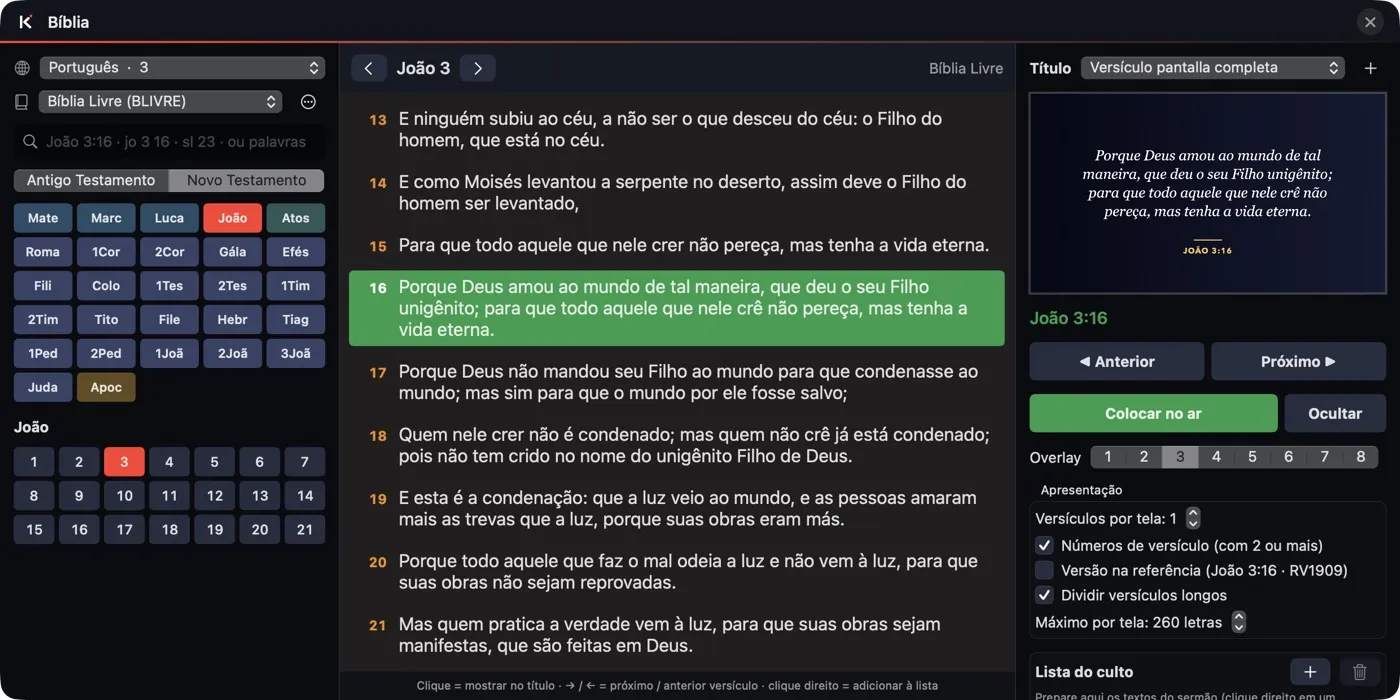
The Bible inside the switcher.
Search «John 3:16» or a word, click the verse and it goes on air with the transition. No internet, no extra program.
9 free versions in Portuguese, Spanish and English
Import your favorite version
Service list and history
A teleprompter that follows your voice.
The text scrolls by itself while you speak, on a separate monitor or mirrored for teleprompter glass.
Voice tracking
Font, margins, colors and reading line
Countdown and dedicated output
Cinema color, studio chroma.
Color adjustment and correction per source, LUTs, chroma and luma key, plus virtual sets with camera angles.
Color correction and 3D LUT
Chroma key for green screen
Waveform, parade and vectorscope
Kadel AI. One more crew member at the desk.
Artificial intelligence that works during the stream: it writes what is said, finds the quoted verse, switches to the camera of whoever is speaking and takes care of framing. No AI subscription and no per-use cost.
Live captionsThe sermon or talk written on screen in real time, with live translation on macOS 26.
Automatic verseHeard «John 3:16»? The verse is already waiting in Preview.
Voice directionSwitches to the camera of whoever is speaking and goes back to the wide shot when several people talk.
Highlight momentsMarks applause, goals and laughter to repeat in the replay.
Mixing assistantListens to the voice and recommends EQ, compressor and de-esser.
Background removal without chroma and auto framingSeparates the person from the background without a green screen and follows the face like a PTZ camera.
Video is processed on the Mac itself. Speech recognition uses macOS's; for some languages, Apple's service.
Made for those who can't make mistakes live.
What separates an amateur stream from a professional one is right here, ready to use.
Audio that follows video
When a camera goes on air, its microphone comes in automatically. A full mixer with Master, buses A–G, headphones, EQ, compressor, gate, AU and VST3 plugins and the Kadel FX effects: Reverb, Delay, De-esser, EQ and multiband.
4K and HDR streaming
Hardware H.264 or HEVC, 10-bit HDR and up to three destinations at once, including vertical for Reels and TikTok.
Kadel Call
Remote guests join through a password-protected link, right from the browser. Echo-free video and audio return for each guest.
Instant replay
Mark the play, repeat it in slow motion and go back to live. Cameras A and B, events and audio in the replay.
Professional recording
Record the program in HEVC, H.264 or ProRes, a second recording in parallel and each camera separately to edit later.
Real-time health monitor
A green, yellow or red icon tells you when something needs your attention: dropped frames, a camera with little light, unstable internet or a slow disk. Internet and disk tests and a recommended configuration made for your Mac.
Big screens and outputs
Full screen on monitors and projectors, NDI, SRT and Blackmagic card output, and a virtual camera for Zoom and Teams.
Control from anywhere
Shortcuts, MIDI, Stream Deck, control from your phone's browser, API, scripts, tally and PTZ cameras.
Every channel separate. A real mix.
Connect the audio interface from the desk or the stage and each channel arrives separately in Kadel, up to 64 per source. Adjust voice by voice and instrument by instrument before everything reaches the Master, like on a professional sound desk.
Up to 64 channels per interface, each on its own strip
EQ, dynamics and Kadel FX effects on every channel
Buses A–G, headphones and echo-free return for guests
Multitrack recording: one WAV file per channel, to remix later
Audio Unit and VST3 plugins on the mixer
Input · Audio interface · 8 channels→ Master
Vocal 1
Vocal 2
Guitar
Keys
Drums L
Drums R
Bass
Playback
Master
What will you put on air?
Pick your kind of stream and see the tools that come into play.
From the pulpit to the whole city.
One person runs cameras, audio and verses without switching programs.
Live verses with the built-in Bible
Worship lyrics and announcements with smooth transitions
Sanctuary screen with a different image from the stream
Microphones that come in automatically with the camera
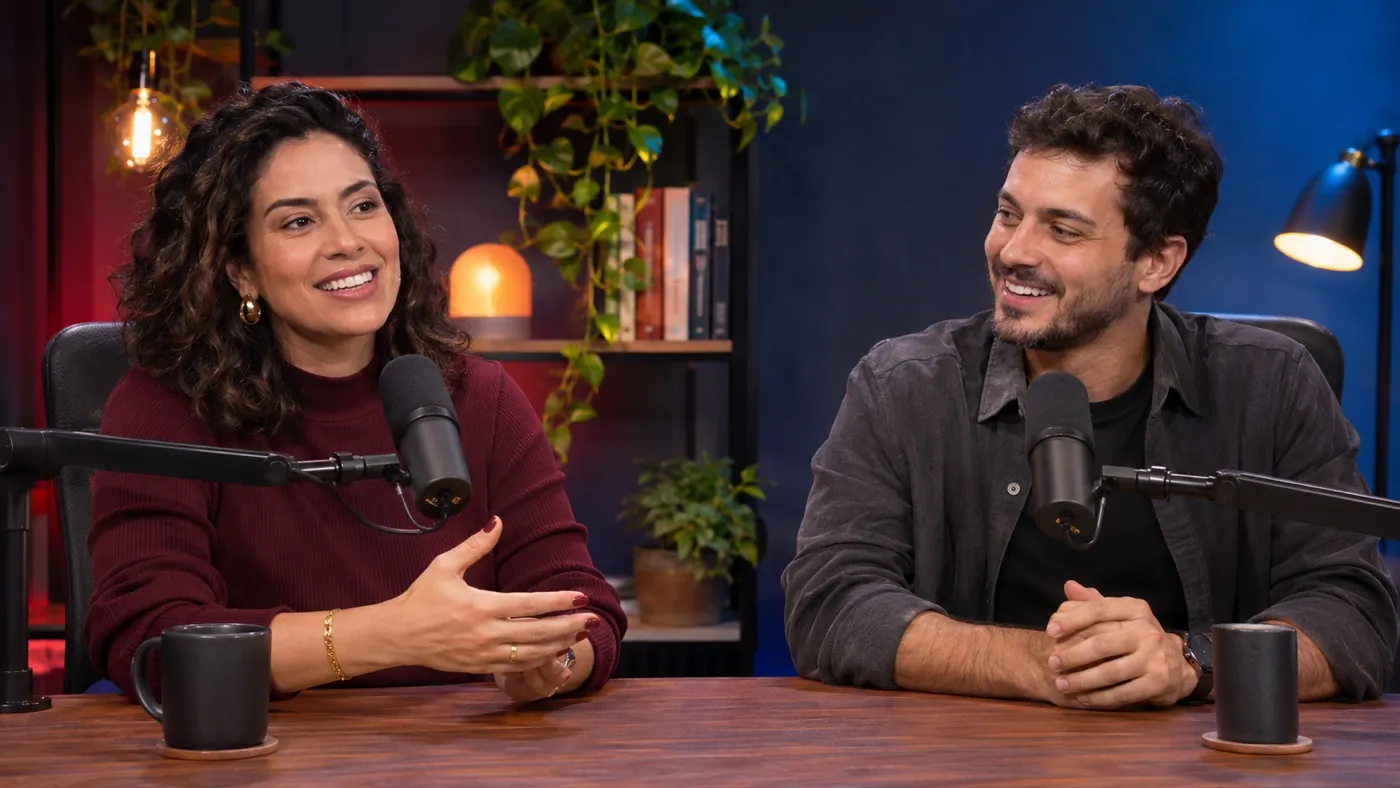
A podcast that looks like a TV show.
Cameras, remote guests and fast cuts with clean sound.
Guests from the browser with Kadel Call
Side by side and PiP with your branding
Recording of each camera for editing
De-esser, compressor and EQ on every voice
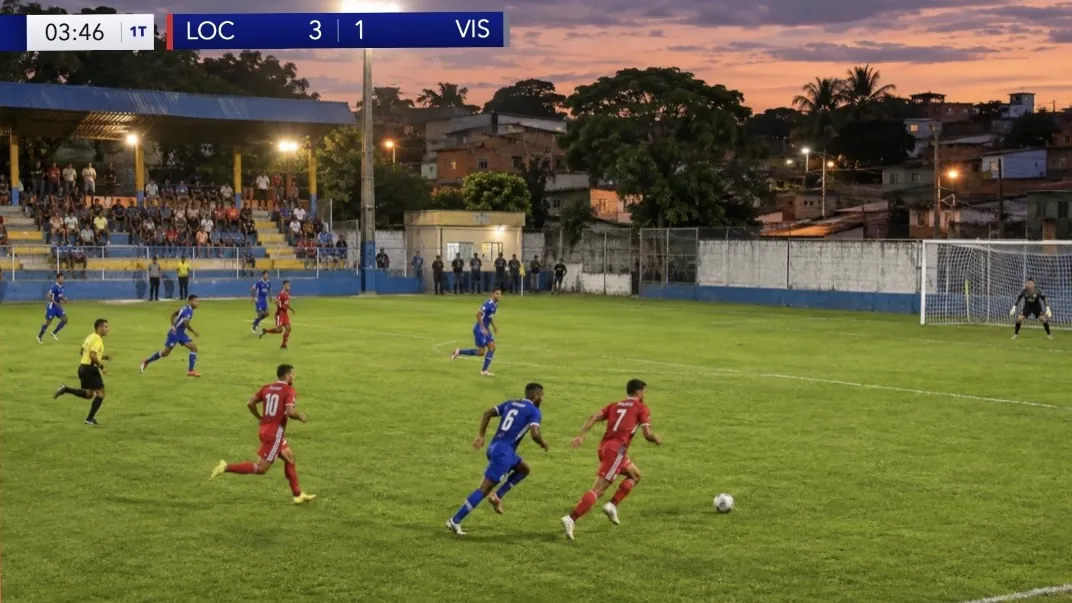
Every play, with scoreboard and replay.
Scoreboard with game clock, slow-motion replay and commentary on top.
Scoreboard controlled by shortcuts or from your phone
Instant replay with slow motion
IP cameras and phones over SRT
Echo-free remote commentators
Stage, big screen and stream together.
One production for the audience on site and another for those watching at home.
PowerPoint, Keynote and PDF presentations
Teleprompter for the hosts
Separate outputs for big screens and projectors
Lower thirds with names and roles
Smooth 4K. Measured, not promised.
Kadel Studio composites everything on the Mac's graphics card and encodes on the dedicated media engine. The interface stays light while the production runs, and streaming never slows down the program.
Numbers from Kadel's own performance monitor on a MacBook Pro M4 Max, with a real production on air: cameras, layered composition, scoreboard and live thumbnails.
Render time per frame11.2 ms
out of 33 ms available at 30 fps · 30 of 30 frames per second
Render headroom66 %
room to record and stream at the same time
Graphics card38 %
compositing and effects on the GPU
Mac processor19 %
the rest stays free for the system
All features.
For those who want to check every detail before buying.
Inputs
USB cameras, webcams and compatible capture devices
Blackmagic DeckLink (SDI/HDMI)
NDI® with source preview
SRT and RTMP (OBS, phones, encoders)
IP cameras over RTSP
HLS (.m3u8) and videos over HTTP
Full screen and app windows
Browser (HTML graphics, VDO.Ninja, social media)
Videos, video playlists, images and audio
Image sequences (PNG stingers)
PowerPoint, Keynote, PDF and photo folders
Video delay and virtual copy of sources
Mix: a mini switcher inside the production
Solid color and clocks
Switcher and transitions
Preview and Output with TAKE and Cut
T-bar and Fade to Black
Fade, Zoom, Wipe, Slide, Fly, Cube, Merge and more
4 stingers with built-in or file animation
8 overlay layers with effects and position
Per-source layers with PiP templates
Configurable MultiView
Categories and colors to organize sources
Presets and automatically saved session
Production clocks, countdown and stopwatch
Audio
Audio that follows video (automatic)
Multichannel mixing: up to 64 channels per source
Multitrack recording (one WAV per channel)
Master, buses A–G and headphones with Solo
Parametric EQ, compressor, gate and limiter
Kadel FX: Reverb, Delay, De-esser, EQ, multiband and dynamics
Audio Unit and VST3 plugins
Meters, loudness (LUFS) and peak
Outputs to audio interfaces
Per-source audio delay
Mix-minus for guests
Graphics
Animated titles and full editor
Name lower thirds with sequence
Scoreboard with game clock
Ticker and announcements
Social media, QR code and PIX
Offline Bible with 9 versions
Teleprompter with voice tracking
Virtual sets with camera angles
Color correction, LUT, chroma and luma key
Waveform, parade and vectorscope
Streaming and recording
YouTube, Facebook, Instagram, TikTok, Twitch and custom RTMP
Sign in with YouTube
Up to 3 destinations at the same time
Horizontal and vertical compositions
Hardware H.264 and HEVC, up to 4K60
10-bit HDR (HLG)
Recording in HEVC, H.264 and ProRes
Second recording and per-camera recording (ISO)
Instant replay with slow motion
NDI, SRT, Blackmagic and virtual camera output
Guests and control
Kadel Call: guests via password-protected link
Video and audio return for each guest
Keyboard shortcuts and MIDI
Stream Deck
Control from your phone's browser
HTTP and TCP API
Scripts and automations
Camera tally
PTZ cameras (VISCA)
Fairlight audio surfaces
Kadel AI
Live captions
Live caption translation (macOS 26)
Automatic verse when the reference is heard
Voice-driven camera direction
Highlight moments for the replay
Voice-based mixing assistant
AI headlines in the title editor
Person cutout without chroma
Automatic face framing
Teleprompter that follows your voice
Diagnostics and customization
Green, yellow and red health monitor
Dropped frames in render and streaming
Internet and disk test
Automatic configuration recommendation
Interface color themes
Interface in Portuguese, Spanish and English
Choose how you produce.
Monthly or yearly subscription, or a perpetual license for version 3 at a launch price.
Compare plans
Pay with Pix or card for the lifetime license and by card for subscriptions. You receive the activation key and the download link by email.
Downloads
Kadel Studio is a Mac app. The installer is in your customer area, together with your license and updates.
Kadel Studio for Mac
Available for macOS only · Apple Silicon and Intel
Already have a license or subscription? Sign in with your email and download the latest version. When an update comes out, we let you know by email and it shows up in your customer area.
macOS 13 or later, on a Mac with Apple Silicon (M1 or newer) or Intel. For 4K we recommend Apple Silicon: compositing and encoding use the Mac's graphics card and media engine. Kadel itself has a «Dress rehearsal» that measures your Mac and recommends the best configuration.
Can I stream in 4K to YouTube?
Yes. Set the production to 4K and choose 4K on the destination; Kadel encodes in hardware H.264 or HEVC, including HDR. For 4K at 30 fps YouTube recommends a stable upload of at least 20 to 50 Mbps. Use Kadel's internet test to find the safe bitrate for your connection.
Can I cancel my purchase?
Yes. You have 7 days from payment to cancel and get your money back, as guaranteed by the Brazilian Consumer Protection Code. Just write to support with your order number.
How does the lifetime license work?
It is a perpetual license for version 3: a one-time payment, use with no time limit and all fixes and improvements of version 3.x of the edition you bought. The next major version is optional. The current price is a launch price for a limited time.
On how many Macs can I use it?
Standard and Pro: on 1 Mac. Max: on 2 Macs with the same license, for example the church's and the operator's. To switch Macs, release the previous one in the customer area.
Can I change plans later?
Yes. Talk to support and you only pay the difference to upgrade from Standard to Pro or from Pro to Max.
How do I receive and activate the license?
Once the payment is confirmed you receive the activation key by email and the link to download the installer. The customer area brings together orders, licenses and downloads.
Can I pay with Pix?
Yes, for the lifetime license. Monthly and yearly subscriptions are charged to a credit card.
Does it work with my cameras and equipment?
USB cameras, webcams, macOS-compatible capture devices, Blackmagic cards, IP cameras (RTSP), phones over SRT and NDI sources. Third-party cards and drivers have their own requirements.
Do my guests need to install anything?
No. With Kadel Call the guest opens a password-protected link in the browser on their computer or phone.
What languages is the app in?
Portuguese, Spanish and English. You choose in Settings.